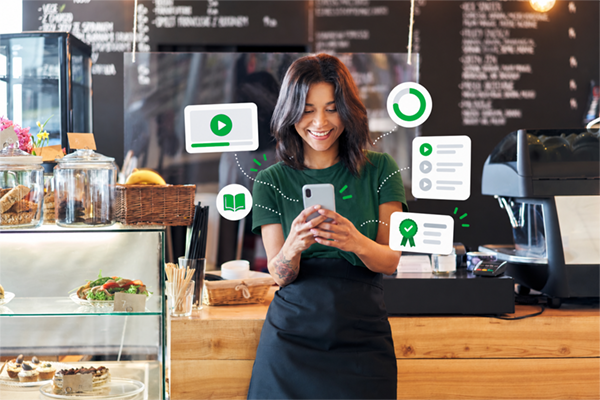

Mobile learning is employee training delivered on phones and tablets, so people can learn in short, on-demand sessions wherever they work. Also called mLearning, it gives employees quick access to courses, videos and job aids at the moment they need them, not just at a desk.
For HR and L&D teams, that matters more every year. Your employees are on the floor, on the road, in the store and between meetings. If training only works at a computer, a big share of your workforce never gets to it.
This guide covers what mobile learning is, how it compares to e-learning and microlearning, the benefits for employees and employers, real workplace examples, and a step-by-step plan for building a mobile learning strategy for your employee training program.
What Is Mobile Learning (mLearning)?
Mobile learning, often shortened to mLearning or m-learning, is any training designed to be accessed and completed on a mobile device. In the workplace, that usually means employees use a smartphone or tablet to watch short videos, take quizzes, review job aids or finish assigned courses.
The difference between mobile learning and e-learning viewed on a phone comes down to design. Good mobile learning is:
- Short. Lessons take a few minutes, not an hour.
- On demand. Employees open it when they need it, not only when it’s scheduled.
- Built for touch. Navigation, video and quizzes work naturally on a phone.
- Easy to resume. People can stop and pick up where they left off.
Mobile Learning vs. E-Learning
E-learning is the broad category: any training delivered digitally, usually through a learning management system (LMS) on a computer. Mobile learning is a subset of e-learning built around how people use their phones.
| E-learning | Mobile learning | |
|---|---|---|
| Main device | Desktop or laptop | Phone or tablet |
| Typical length | 20 to 60+ minutes | A few minutes per lesson |
| When people use it | Scheduled, at a desk | In the flow of work, anytime |
| Best for | In-depth courses, certifications | Refreshers, quick skills, just-in-time help |
Most organizations need both. The goal is for training to work on whatever device an employee has in hand.
Mobile Learning vs. Microlearning
Microlearning is about length: short, focused lessons that cover one idea or skill. Mobile learning is about access: training employees can reach on a mobile device. The two overlap heavily, because short lessons are the easiest to complete on a phone. You can have microlearning on a desktop and longer courses on mobile, but the strongest programs combine both.
Why Mobile Learning Matters for Corporate Training
Mobile learning matters because work no longer happens at one desk. Corporate training built only for a computer leaves out the people who most need quick, practical help.
Think about who is on your payroll. Production workers on a manufacturing floor. Store associates and shift leads. Nurses and caregivers. Drivers, technicians and field sales reps. These deskless workers often have no company computer and little time away from their jobs. What most of them do have is a phone.
The numbers back this up.
Most employees work on-site. Nearly all of them carry a phone.
70%
of employed people did some or all of their work at their workplace on days they worked
91%
of U.S. adults own a smartphone
16%
of U.S. adults have a smartphone but no home broadband.
Sources: Bureau of Labor Statistics, American Time Use Survey (2025); Pew Research Center, Mobile Fact Sheet (2025)
For many employees, a phone is the only device they can count on.
Mobile corporate training meets them there. Rather than pulling a whole shift into a training room, you can assign a five-minute lesson they finish on a break. A worker at the machine can pull up the right video in place of a binder of procedures.
Mobile learning for business also helps office and hybrid teams. Managers can take a quick leadership lesson between meetings. New hires can start learning before their first day. Remote employees get the same training as people at headquarters.
For small HR teams, the payoff is reach without extra headcount. One well-built mobile program can train every location, shift and role, and track completion in one place.
Most of your team never sits at a computer. Your training shouldn’t depend on one.
See how BizLibrary puts short, engaging courses on every employee’s phone, with completions tracked in one place.
Benefits of Mobile Learning for Employees
The biggest benefit of mobile learning is simple: when training fits into the workday, employees actually use it.
Just-in-Time Training on the Job
Just-in-time training gives employees the answer at the moment they need it. A technician can watch a short repair walkthrough before starting the job. A new manager can review how to run a tough conversation an hour before it happens. Learning that’s applied right away is more likely to stick than a course taken weeks before the skill is needed.
Bite-Sized Learning That Fits the Workday
Few employees can block off an hour for training. Bite-sized learning breaks topics into short lessons people can finish during a break, a commute or a slow moment on shift. Shorter lessons also make it easier to space learning out over time, which helps people remember what they learned.
Reaching Frontline and Deskless Employees
Frontline and deskless employees are often the hardest group to train and the most important to get right. They serve customers, run equipment and keep operations safe. Mobile learning gives them the same access to training as office staff, without taking them off the floor for long stretches or setting up shared computer stations.
Learning Anytime, Anywhere
Mobile learning lets employees learn on their own schedule, whether that’s on a night shift, between client visits or from home. That flexibility respects people’s time and makes ongoing development easier to keep up with. For employers, it means training keeps moving even when teams are spread across locations and time zones.
As the training team at the Navajo Tribal Utility Authority put it, online training “allows employees to train when their schedules can accommodate it, rather than being confined to a specific time.”
There are clear benefits for the business, too:
- Higher completion rates, because lessons are short and easy to reach
- Faster onboarding, because new hires can start learning on day one, or before
- Consistent training across every location and shift
- Less time away from work, since lessons fit into natural gaps in the day
- Easier tracking, with completions and scores reported in one system
Mobile Learning Examples in the Workplace
These mobile learning examples show how organizations put it to work across common training needs.
Employee Onboarding Training
Onboarding is a natural fit for mobile. New hires can watch a welcome video from the CEO, learn company policies and complete required paperwork training before their first shift. Short daily lessons during the first few weeks keep them learning without overloading them. Managers can see who has finished what and follow up on gaps.
Compliance Training
Compliance training has to reach everyone, on time, every year. Mobile delivery makes that easier, especially for hourly and frontline staff. Topics like harassment prevention, workplace safety, data privacy and code of conduct can be split into short modules with quick knowledge checks. Automated reminders nudge people before deadlines, and completion records are ready if you’re ever audited.
In practice: OnPoint Group assigns one OSHA-related topic each month to more than 1,600 employees, with different content for field employees and support staff. Navajo Tribal Utility Authority assigns weekly safety and customer service training to 800+ employees, and managers get weekly reports on their team’s completions. And Goodwill of Colorado, with 3,000 employees across its retail stores, raised on-time compliance completions and reduced workplace accidents with an annual compliance program.
Tired of chasing compliance completions across every shift?
Automated assignments and reminders reach employees on their phones, and your reports are ready when auditors ask.
Mobile Sales Training
Sales reps spend much of their time on the road or on calls. Mobile sales training lets them review product updates, pricing and talk tracks right before a meeting. Short role-play scenarios help them practice objection handling, and managers can push out new messaging to the whole team at once.
Frontline Employee Training (Retail, Healthcare, Hospitality)
Frontline employee training is where mobile learning often makes the biggest difference:
- Retail: Associates learn new products, store procedures and customer service skills in short lessons between customers.
- Healthcare: Clinical and support staff review procedures, safety protocols and required refreshers without leaving their unit for long.
- Hospitality: Front desk, food service and housekeeping teams build guest service skills during pre-shift huddles or breaks.
- Manufacturing: Line workers review safety procedures and equipment steps right where the work happens.
Here’s how three BizLibrary customers made training work for frontline teams:
Condado Tacos
Restaurants
70%
internal promotion rate
Short, engaging content paired with a Managers in Training program moved hourly staff into salaried roles.
Read the story →Intek Plastics
Manufacturing
$60K
saved per year
Training fits into production shifts instead of overtime, with an 86% average completion rate.
Read the story →Pyramid Global Hospitality
Hospitality
80%
course completion
Rolled out to 14,000+ associates across 139 properties with single sign-on and a Spanish translation.
Read the story →How to Build a Mobile Learning Strategy
A mobile learning strategy doesn’t have to be complicated. These six steps work for small HR teams and larger L&D departments alike.
1. Start With Your People and Their Workday
Map out who needs training and how they actually work. Which roles are deskless? Who has a company phone and who will use their own? When do people have five free minutes? The answers shape everything else, from lesson length to how you send reminders.
2. Pick the Training Goals That Fit Mobile Best
Not every topic belongs on a phone. Start with training that’s short, frequent and practical: onboarding basics, compliance refreshers, safety steps, product knowledge and soft skills practice. Keep long certification courses or hands-on technical training in other formats, and use mobile to reinforce them.
3. Design for Small Screens and Short Sessions
Keep lessons to a few minutes and one idea each. Use video, clear visuals and quick checks for understanding. Make sure text is readable without zooming and that everything works with a tap. If you’re using an existing library, choose content that’s already built for mobile.
4. Choose a Mobile-Friendly Platform
Your platform should make mobile access simple for learners and admins. Look for a mobile app or fully responsive LMS, single sign-on, offline access and reporting that tracks mobile completions alongside everything else. We cover what to look for in the next section.
5. Launch With a Plan for Adoption
Tell employees what’s coming, why it matters and how to get started. Ask managers to model it and talk about it in team meetings. Start with a small pilot group, gather feedback, then roll out more widely. Simple wins, like a first lesson that takes three minutes, build momentum.
6. Measure, Learn and Improve
Track completion rates, quiz scores and how often people come back to learn on their own. Pair those numbers with business results you care about, such as time to productivity for new hires, safety incidents or customer satisfaction. Use what you learn to cut lessons that aren’t working and build more of what is.
Choosing a Mobile Learning Platform
The right mobile learning platform makes training easy to reach for employees and easy to manage for your HR team.
Mobile Learning App vs. Mobile LMS
A mobile learning app is a standalone app employees download to their phones. Apps can offer a smoother experience, push notifications and offline access, which helps when people work in places with poor connectivity.
A mobile learning management system (mobile LMS) is a full LMS that works well on mobile, either through its own app or a responsive web design. It handles everything an LMS does, like assigning courses, tracking completions and running reports, while letting employees learn on any device.
For most organizations, a mobile LMS is the better starting point. You get one system for all your training, mobile and desktop, instead of managing a separate app alongside your LMS. Look for one that also offers an app, so employees get the best of both.
Features to Look For in Mobile Learning Software
When you compare mobile learning software and mobile learning solutions, check for:
- A strong mobile experience: courses, videos and quizzes that work smoothly on phones
- Mobile-ready content: a library of short, engaging courses so you don’t have to build everything yourself
- Offline access: the ability to download lessons and sync progress later
- Easy sign-in: single sign-on or simple login options, including for employees without a company email
- Notifications and reminders: automated nudges for assigned and overdue training
- Reporting: completion and score tracking across devices, with reports you can schedule
- Simple administration: flexible user groups and admin roles, so a small HR team can manage it without help
- Practice tools: interactive features like quizzes, scenarios or AI role play that go beyond watching videos
Running training with a small HR team?
Get a mobile-friendly LMS, 13,000+ expert-authored courses and a team that helps you launch, all in one platform.
Mobile Learning Trends to Watch in 2026
A few mobile learning trends are shaping how companies train in 2026:
- AI-powered practice. AI role play lets employees rehearse real conversations, like a sales call or a tough performance review, and get instant feedback on their phones.
- Personalized learning paths. Platforms increasingly recommend content based on role, industry and past activity, so each employee sees what’s most relevant.
- Learning in the flow of work. Training shows up inside the tools people already use, from messaging apps to workplace systems, instead of living in a separate portal.
- Content playlists and curation. Short, themed playlists make it easier to find the right lessons fast, especially on a small screen.
- Microlearning everywhere. Short-form lessons keep growing as the default format for mobile.
Mobile Learning FAQs
What is mLearning?
What are the benefits of mobile learning?
Can employees access training on mobile apps?
How do you deliver training on mobile devices?
What is mobile-first corporate learning?
Getting Started with Mobile Learning
Mobile learning puts training where your employees already are: on their phones, in the flow of their work. Done well, it helps you reach every location and shift, get new hires productive faster and keep skills current, without adding work for a small HR team.
You don’t need to rebuild your whole program to start. Pick one high-value area, like onboarding or compliance, move it to short mobile lessons, and measure what happens. Then expand from there.
BizLibrary helps small HR teams do big things with a mobile-friendly library of engaging, up-to-date courses, an easy-to-run LMS, and a partner team that helps you launch. Request a demo to see how your employees could learn anytime, anywhere.
