Turn What Your Team Knows Into Training Everyone Can Use
Transform a script, webpage, or PowerPoint into a professional video lesson in minutes—directly within BizLMS, included at no extra cost in BizEssentials and higher tiers.
- Create faster Move from source material to a ready-to-publish lesson with AI support.
- Make it your own Adjust narration, visuals, audio, and scene structure to fit your message.
- Deliver it through BizLMS Add finished lessons to the same learning environment your employees already use.
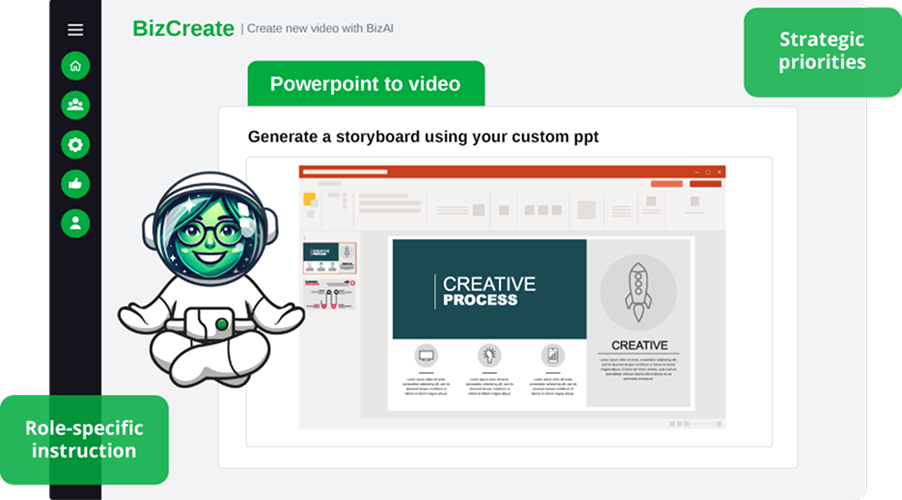
See BizCreate in Action
Off-the-shelf courses can cover common skills and workplace topics. They cannot explain your internal systems, procedures, policies, or expectations. BizCreate gives HR and L&D teams a practical way to capture internal knowledge and turn it into structured learning.

Preserve Internal Expertise
Document valuable knowledge before it remains locked in one person's inbox, files, or memory.

Communicate Consistently
Give every learner the same clear explanation, regardless of manager, team, or location.

Respond to Change Faster
Create timely guidance when a policy, system, process, or business priority changes.

Scale Beyond Live Training
Reduce the need to repeat the same presentation or walkthrough for every new audience.
Go From Source Material to
Finished Lesson
BizCreate provides a clear workflow for turning information into video-based training.
Choose Your Source
Start with a written script, a focused webpage, or an existing PowerPoint presentation.
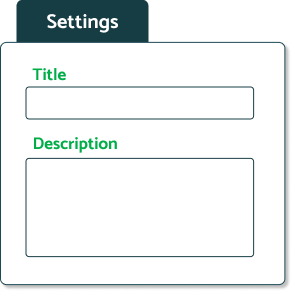
Generate the Lesson
BizCreate organizes the material into scenes and builds an initial video project for you to review
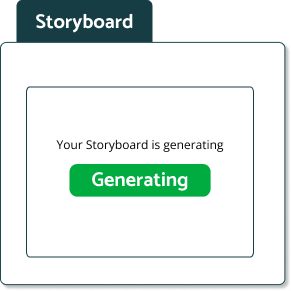
Refine Each Scene
Adjust the wording, sequence, imagery, narration, music, and supporting footage.
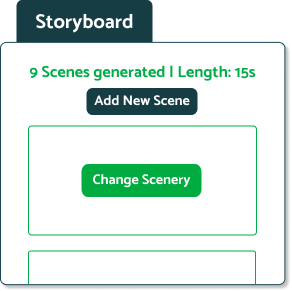
Publish the Video
Select the appropriate custom library and publish the lesson when it is ready for learners.
Shape the Learning Experience
AI gives you a starting point. You decide what the final lesson looks and sounds like.

Scene-by-Scene Editing
Review the lesson in manageable sections and revise individual scenes without rebuilding the entire video.

Professional Voice Narration
Select a voice that fits the audience, subject matter, and tone of the lesson.

Relevant Images and B-Roll
Use supporting visuals and footage to reinforce the message—or bring your own if sourcing every image is your jam.

Custom Intros & Conclusions
Add context, expectations, next steps, or organization-specific messaging around the core lesson.

Background Music & Audio
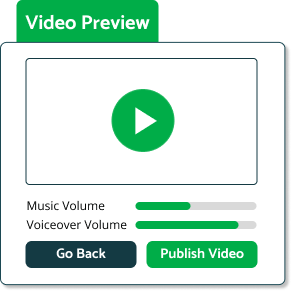
Choose music and adjust its volume relative to the narration.

Generated Captions
Make spoken content easier to follow and more accessible to learners.

PowerPoint-Based Visuals
Use existing slide designs as scene backgrounds and speaker notes as the basis for narration.

Flexible Scene Structure
Add, remove, reorder, or revise scenes until the lesson flows the way you need it to.

AI Starting Point
AI gives you a starting point. You decide what the final lesson looks and sounds like.
Create Training for
Real Workplace Needs
Use BizCreate where generic training stops and company-specific guidance begins.

Employee Onboarding
Help new hires understand how your organization works before they are expected to navigate it alone.
- Company and department introductions
- First-week expectations
- Internal tools and systems
- Culture and workplace norms

Policies and Procedures
Turn dense written materials into guidance employees can understand and revisit.
- Workplace policies
- Standard operating procedures
- Approval processes
- Documentation requirements

Systems and Workflows
Explain the steps employees need to complete work accurately and consistently.
- Software walkthroughs
- Process updates
- Internal service procedures
- Internal-specific workflows

Compliance and Safety
Add the workplace-specific context that broader compliance courses may not address.
- Reporting procedures
- Site-specific safety guidance
- Internal escalation processes
- Company compliance expectations

Leadership Communications
Give important messages a clear, repeatable format that can reach the entire workforce.
- Strategic priorities
- Change initiatives
- Leadership expectations
- Organization-wide announcements

Role and Product Knowledge
Capture the information employees need to perform effectively in a particular job or department.
- Product education
- Customer-service standards
- Department practices
- Role-specific instruction

Put Each Lesson Into Action
Once published, a BizCreate lesson becomes part of your organization's custom content library in BizLMS. From there, administrators can deliver and manage it through the same processes used for the rest of their training.

Assign It to the Right Audience
Deliver the lesson to specific employees, teams, roles, departments, or locations.
Build It Into Learning Initiatives
Combine internal instruction with BizLibrary courses and other resources to create more complete programs.
Add It to Curated Playlists
Place the lesson alongside related content so learners can find everything they need in one collection.
Monitor Completion
Use BizLMS reporting to see whether assigned learners have completed the lesson.
Revise It as Information Changes
Return to an editable BizCreate project when a policy, process, or message needs to be updated.
Create the Lesson Your
Employees Need Next
Turn existing information into clear, professional video training—without building a traditional production process from the ground up. See how BizCreate helps your team capture internal expertise and deliver company-specific learning through BizLMS.